Rust开发环境指南
XWOS RUST编译工具安装指南
2 分钟阅读
安装Rust
根据官方指导安装 RUST
Ubuntu
- 下载
rustup.shcurl --proto '=https' --tlsv1.2 -sSf https://sh.rustup.rs > rustup.sh
- 设置环境变量
RUSTUP_UPDATE_ROOT以及RUSTUP_DIST_SERVER,有两种方法:-
- 永久设置的方法:在
~/.profile写入环境变量
export RUSTUP_DIST_SERVER="https://rsproxy.cn"export RUSTUP_UPDATE_ROOT="https://rsproxy.cn/rustup"
- 永久设置的方法:在
-
- 使用临时环境变量,打开
bash
- 使用临时环境变量,打开
-
export RUSTUP_DIST_SERVER="https://rsproxy.cn"
export RUSTUP_UPDATE_ROOT="https://rsproxy.cn/rustup"
- 执行
rustup.sh
sh rustup.sh
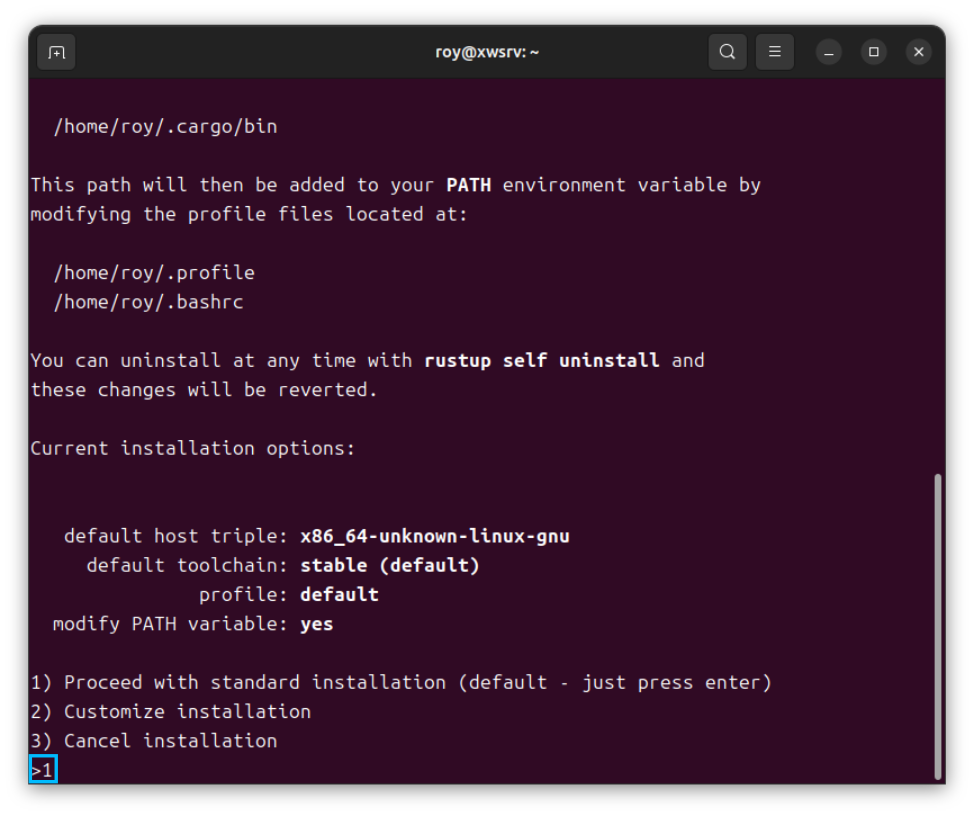
使用默认配置安装即可:
windows
- 下载
rustup-init.exe - 设置环境变量
RUSTUP_UPDATE_ROOT以及RUSTUP_DIST_SERVER,有两种方法:-
- 永久设置的方法:右键点击
此电脑–>属性–>高级系统设置–>环境变量,在其中增加两个环境变量
RUSTUP_UPDATE_ROOT:https://rsproxy.cn/rustupRUSTUP_DIST_SERVER:https://rsproxy.cn
- 永久设置的方法:右键点击
-
- 使用临时环境变量,打开
powershell
- 使用临时环境变量,打开
-
$ENV:RUSTUP_DIST_SERVER='https://rsproxy.cn'
$ENV:RUSTUP_UPDATE_ROOT='https://rsproxy.cn/rustup'
- 执行
rustup-init.exe
.\rustup-init.exe
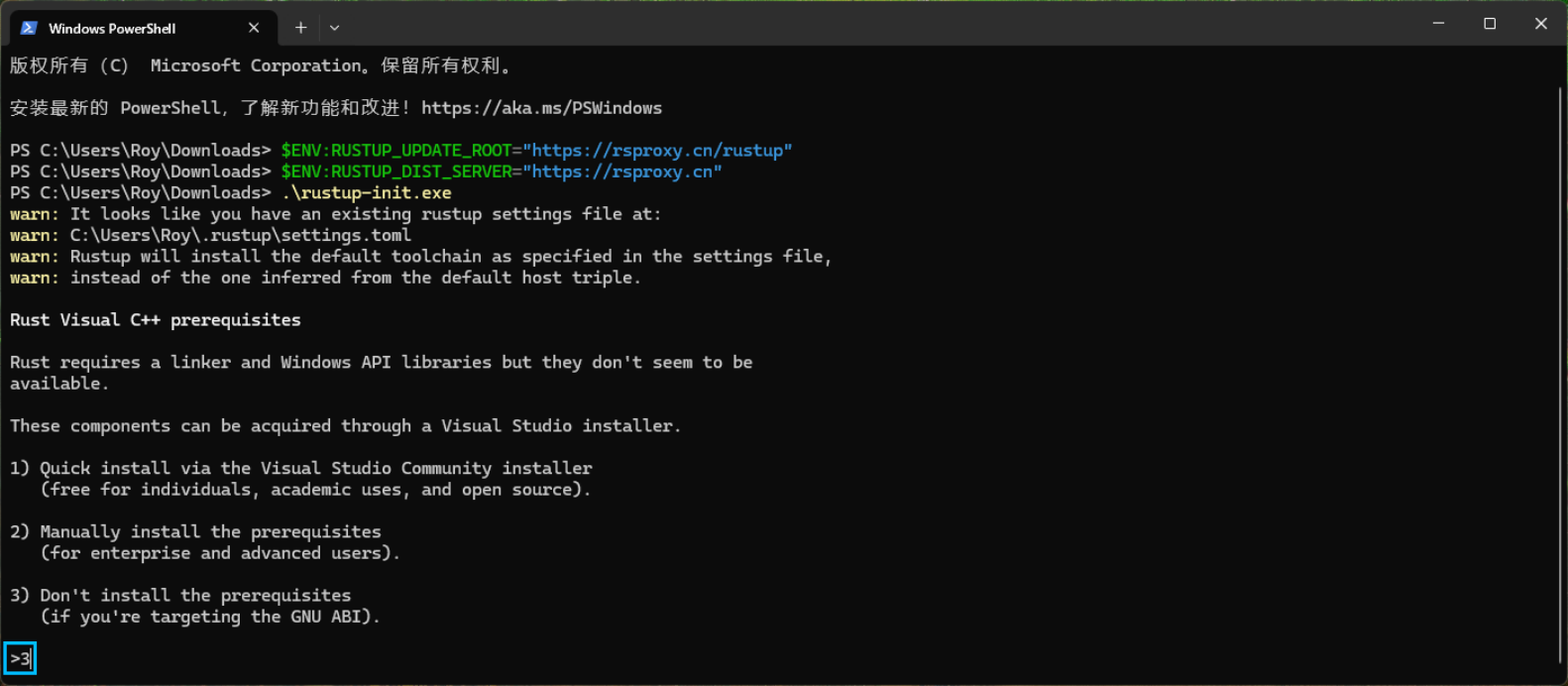
- 无需安装msvc,第一步选
3:
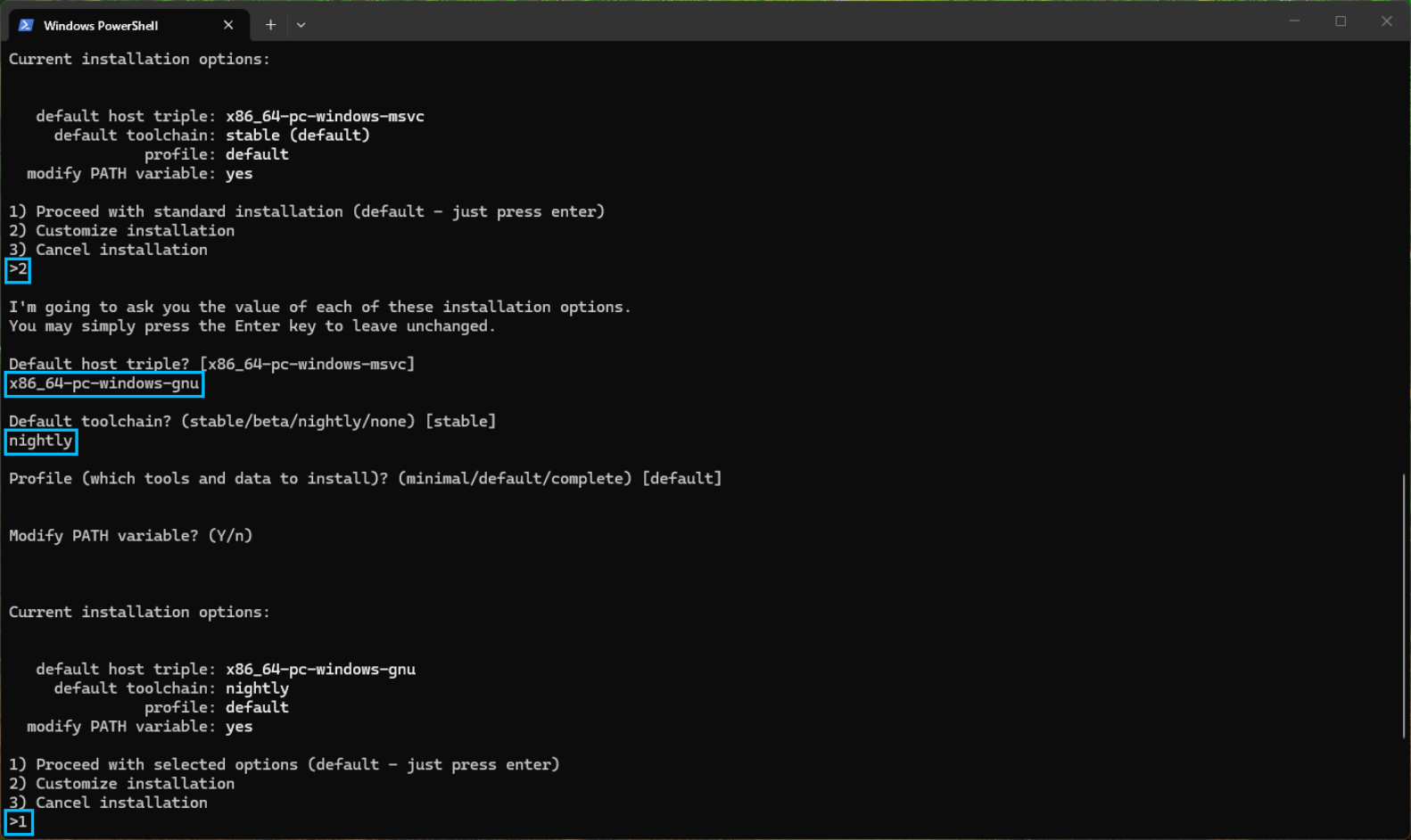
- 目标设置为
x86_64-pc-windows-gnunightly
使用cargo安装标准库
切换cargo镜像源
- 配置文件
- Ubuntu配置文件路径:
~/.cargo/config.toml - Windows配置文件路进:
C:\Users\用户名\.cargo\config.toml
- Ubuntu配置文件路径:
[source.crates-io]
replace-with = 'ustc'

[source.ustc]
registry = "sparse+https://mirrors.ustc.edu.cn/crates.io-index/"

[registries.ustc]
index = "sparse+https://mirrors.ustc.edu.cn/crates.io-index/"

[source.tuna]
registry = "sparse+https://mirrors.tuna.tsinghua.edu.cn/crates.io-index/"

[registries.tuna]
index = "sparse+https://mirrors.tuna.tsinghua.edu.cn/crates.io-index/"

[source.sjtu]
registry = "sparse+https://mirrors.sjtug.sjtu.edu.cn/crates.io-index/"

[registries.sjtu]
index = "sparse+https://mirrors.sjtug.sjtu.edu.cn/crates.io-index/"

[source.rsproxy]
registry = "sparse+https://rsproxy.cn/index/"

[registries.rsproxy]
index = "https://rsproxy.cn/crates.io-index/"

[net]
git-fetch-with-cli = true
- Ubuntu安装unstable版本
rustup install nightly
rustup +nightly target add thumbv8m.main-none-eabihf
rustup +nightly target add thumbv8m.main-none-eabi
rustup +nightly target add thumbv8m.base-none-eabi
rustup +nightly target add thumbv7m-none-eabi
rustup +nightly target add thumbv7em-none-eabihf
rustup +nightly target add thumbv7em-none-eabi
rustup +nightly target add thumbv6m-none-eabi
rustup +nightly target add riscv32imac-unknown-none-elf
rustup +nightly target add aarch64-unknown-none
rustup +nightly component add rust-src
- Windows安装unstable版本
注意:Windows只支持使用 gnu 版的库
rustup install nightly-x86_64-pc-windows-gnu
rustup +nightly-x86_64-pc-windows-gnu target add thumbv8m.main-none-eabihf
rustup +nightly-x86_64-pc-windows-gnu target add thumbv8m.main-none-eabi
rustup +nightly-x86_64-pc-windows-gnu target add thumbv8m.base-none-eabi
rustup +nightly-x86_64-pc-windows-gnu target add thumbv7m-none-eabi
rustup +nightly-x86_64-pc-windows-gnu target add thumbv7em-none-eabihf
rustup +nightly-x86_64-pc-windows-gnu target add thumbv7em-none-eabi
rustup +nightly-x86_64-pc-windows-gnu target add thumbv6m-none-eabi
rustup +nightly-x86_64-pc-windows-gnu target add riscv32imac-unknown-none-elf
rustup +nightly-x86_64-pc-windows-gnu target add aarch64-unknown-none
rustup +nightly-x86_64-pc-windows-gnu component add rust-src