Eclipse-Based IDE Setup Guide
Eclipse-Based IDE Setup Guide
less than a minute
The setup methods for Eclipse-based IDEs (e.g., STM32CubeIDE, S32DS, NucleiStudio, etc.) are similar.
Build Settings
-
Menu: Project –> Properties
-
Tab: C/C++ Build
-
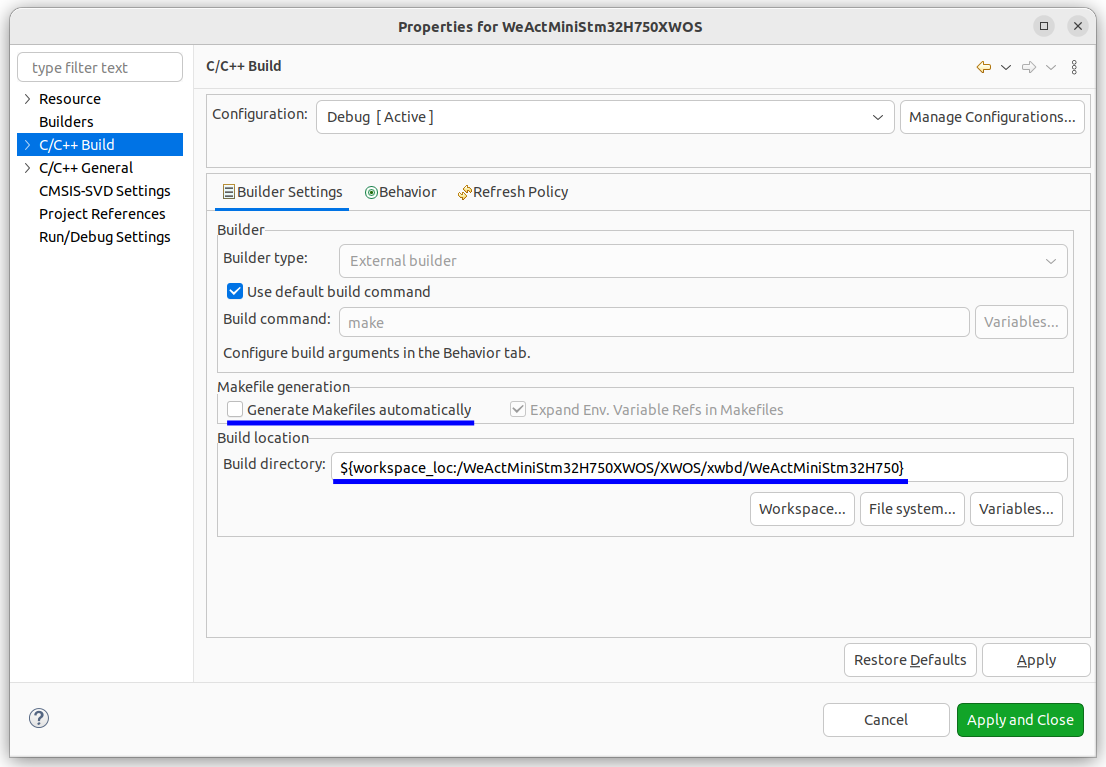
Build Settings
- Disable Eclipse’s automatic
Makefilegeneration; - Set
build directoryto the board directory to use XWOS’s own build system.
- Disable Eclipse’s automatic
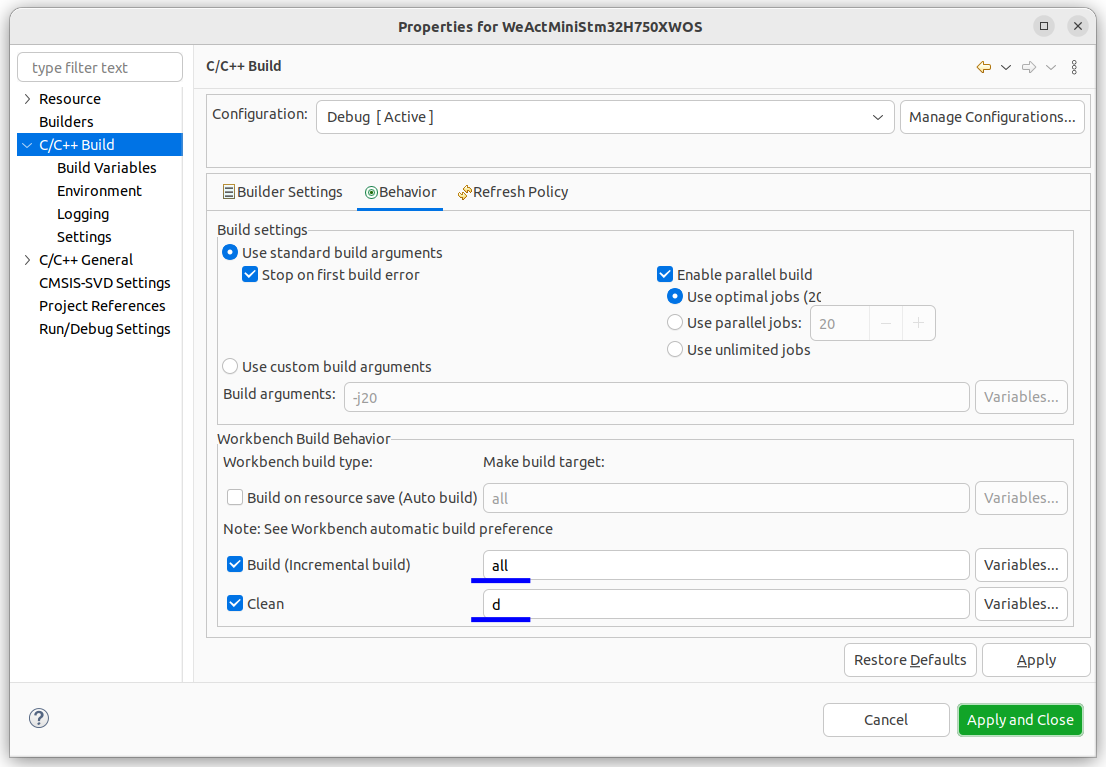
- Build Behavior
- Set the
buildtarget toallor leave it empty; - Set the
cleantarget tod.
- Set the
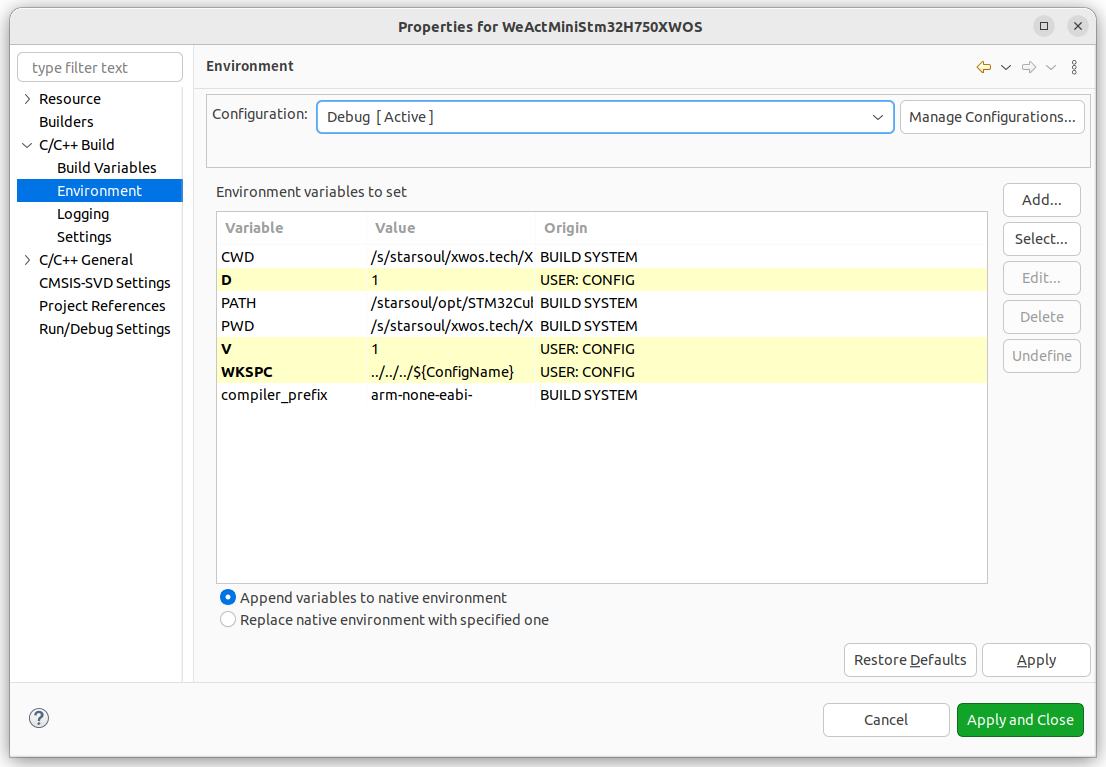
Environment Variable Settings
- Menu: Project –> Properties
- Tab: C/C++ Build –> Environment
- Settings:
WKSPC: Path for build output files;V: Set to1to display commands during build;D:- When set to
1, compiler optimizations will not affect debugging; - When set to
0, compiler optimizations will affect debugging.
- When set to
Rust Plugin
- Menu:
"Help" -> "Install New Software..." -> "Add..." - Repository:
http://mirrors.ustc.edu.cn/eclipse/corrosion/releases/1.2.3/ - Plugin:
Corrosion: Rust edition in Eclipse IDE
Different versions of Eclipse and the plugin have compatibility issues, requiring attempts with different plugin versions.
Generally, the 1.2.3 version of the plugin works fine. Do not select the latest 1.2.4 version of the plugin.